


Heart Zones Training App
Helping students and individuals unlock the power of live biofeedback for smarter training.
True to their name, Heart Zones wrote the book on using heart rate monitors to boost fitness levels using zone-based training. I partnered with their team to give their signature workout app a design refresh.
This mobile app centers on heart-rate zone training. The app empowers users to train smarter using live biofeedback. The project involved a design refresh of the user interface to improve clarity and functionality. The updated design features motivational visuals, key workout features like heart rate and step tracking, and a custom zone system that is easy for users to understand.
MY ROLES:
UX Research + Design
App UI Design
TOOLS USED:
Miro
Sketch
Invision Protoytping

TARGET AUDIENCE
This project was designed to serve two primary user groups:
Students in phys ed classes: students in a class setting who are learning the importance of movement
Individual fitness enthusiasts: adults who use heart rate data to optimize workouts and track cardio performance over time
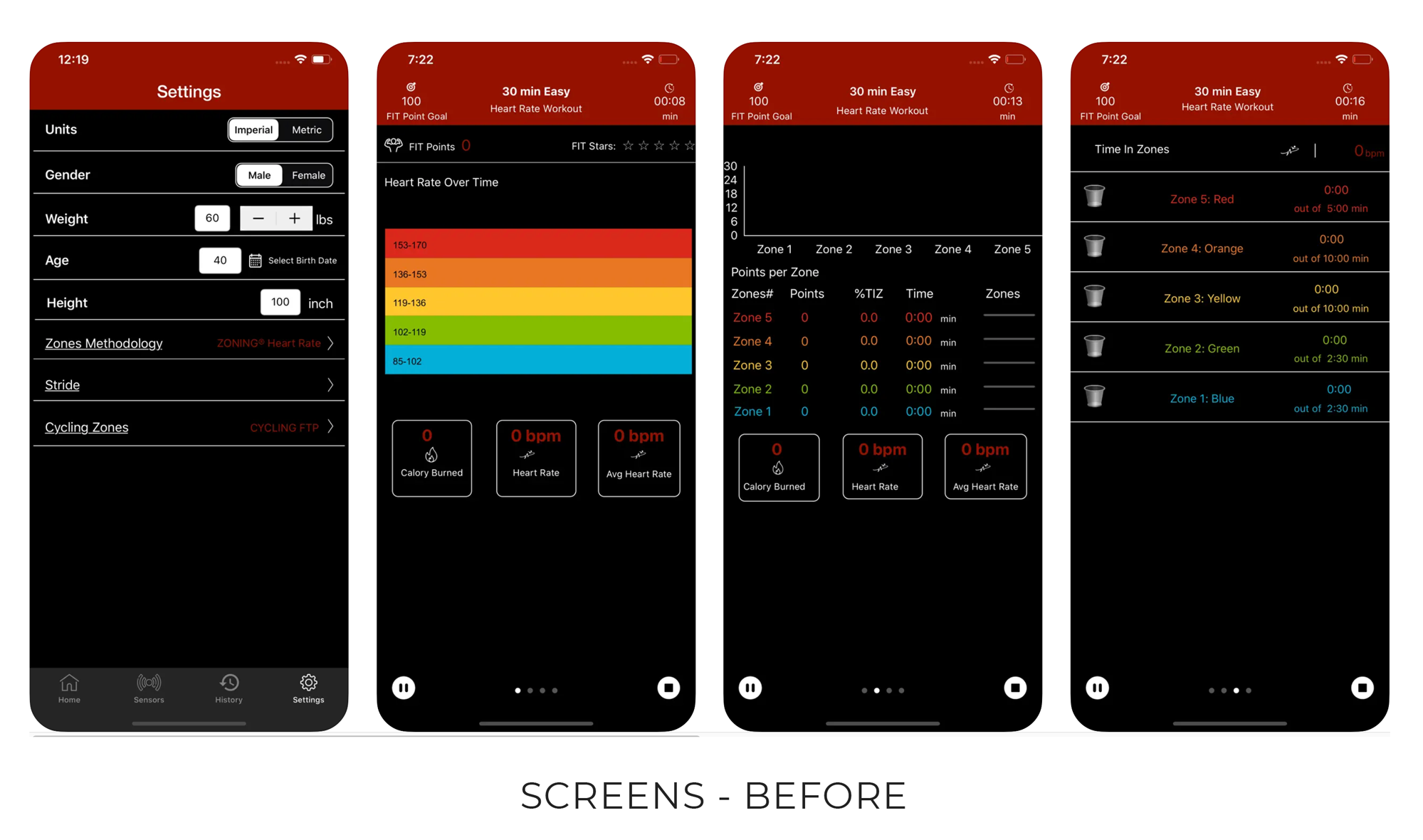
THE CHALLENGE
The existing Heart Zones app needed a more intuitive and encouraging interface.
The app features were hard to understand and interpret - making it hard for users to learn and use their heart rate to inform workouts
Confusing UI was hard to read while moving
UI was more technical than approachable, hard to reach students or new users “where they are”
The app needed a better way to highlight achievements to motivate users reach new goals
APPROACH
“We’re obsessed with getting people committed to fitness to change their lives”
INITIAL RESEARCH
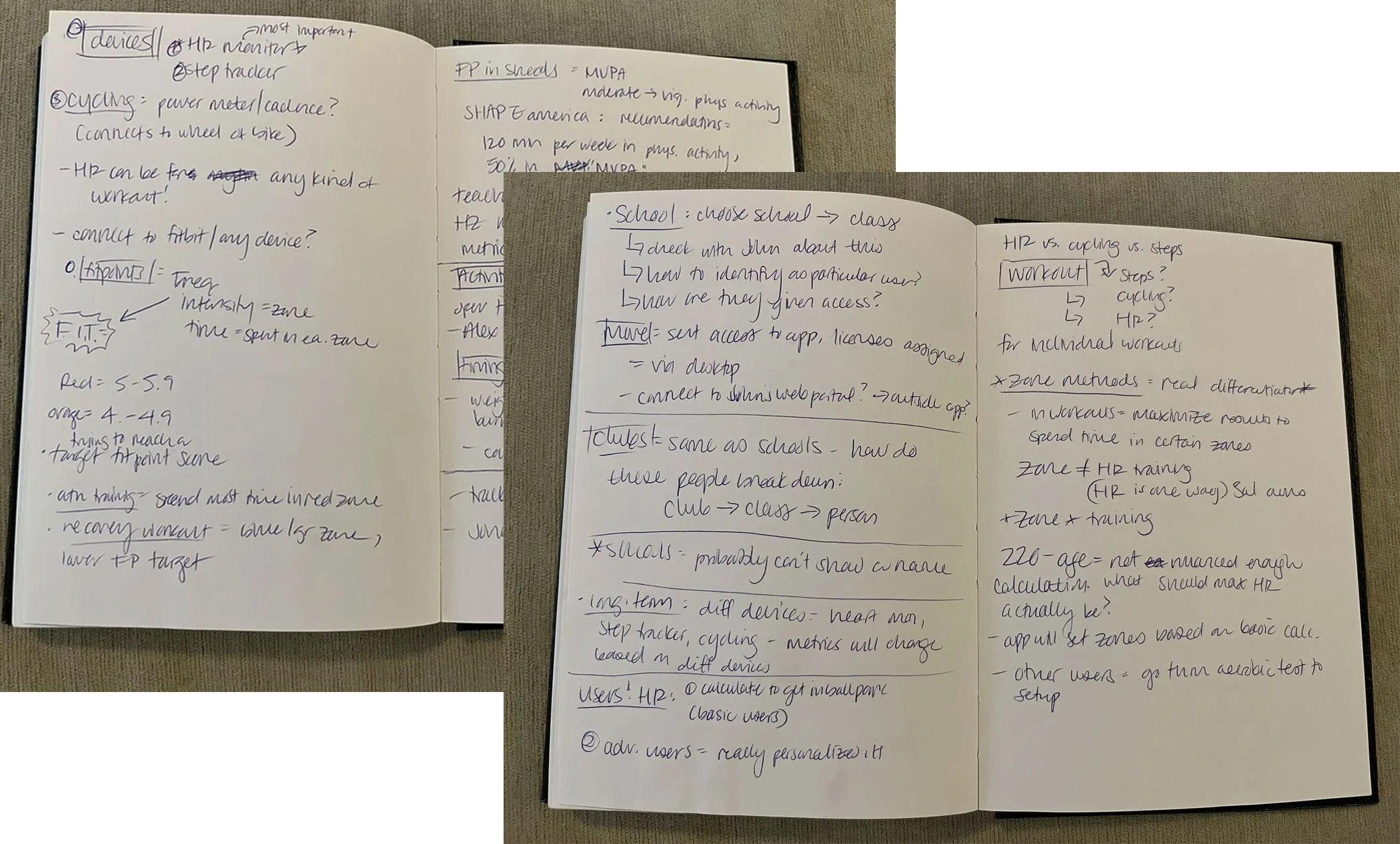
We partnered with the Heart Zones team to map out the core functions of the app and understand zones-based training.
I wanted to learn:
Exactly how heart rate zone data informs training
Understand the existing workout options + flow
How Heart Zones differs from competitors
Business goals + priorities
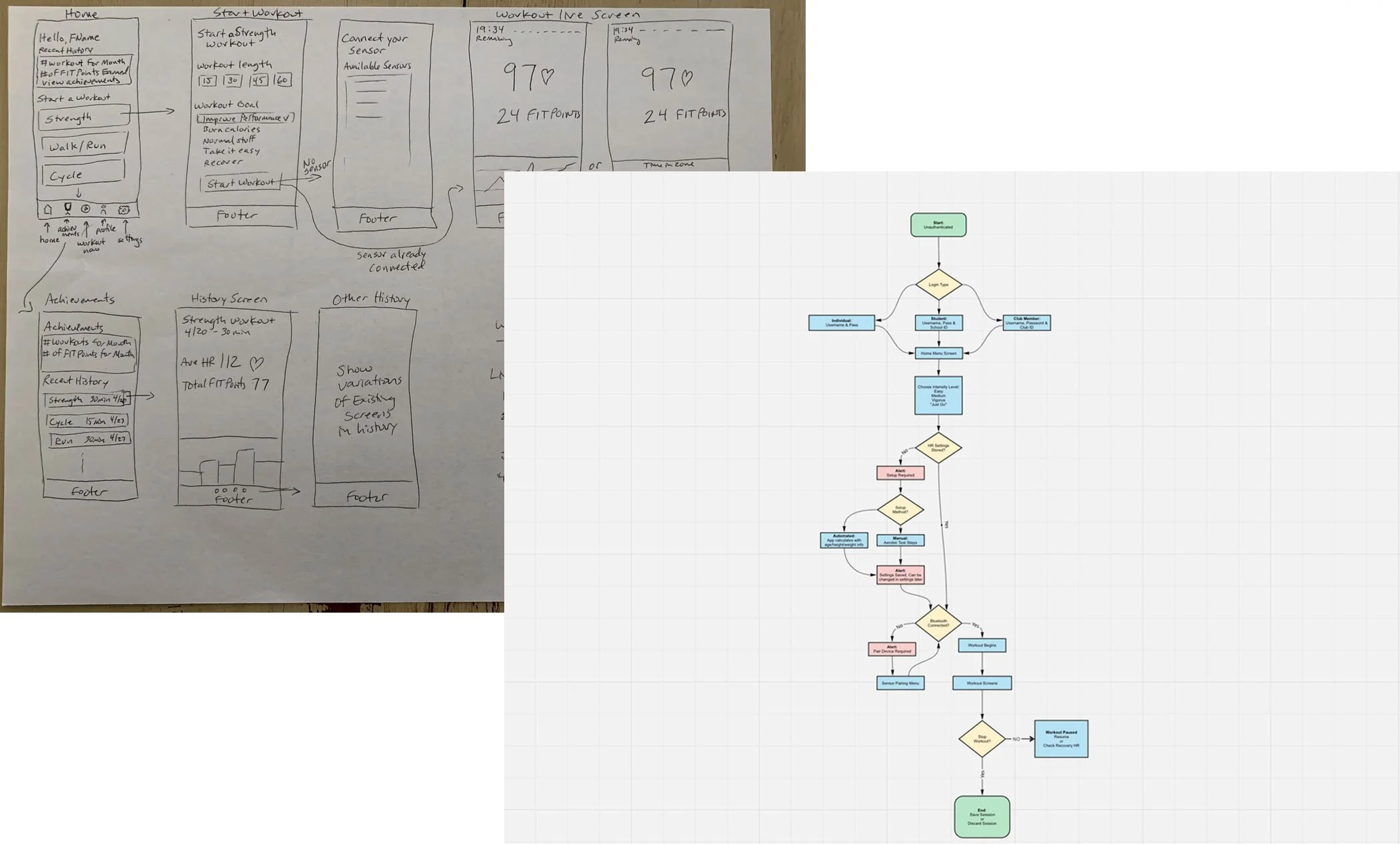
SKETCHING + IDEATION
Prioritized data points: what are the most important things user needs to know while engaging with app?
Defined app features + components
Established the visual style: how can we make this experience less technical and more intuitive and approachable?
RESULTS
FINAL PRODUCT
The redesigned app features a refined and engaging interface
Using Apple’s proven Human Interface Guidelines, the updated UI presents complex data and settings with improved clarity and usability
The app balances features with cognitive load, ensuring workout data feels motivating
Separate flows for individuals and students make it accessible across fitness levels, helping users train more intelligently with actionable feedback during and after workouts.

APP DESIGN - FOR STUDENTS
Student Login
Active Workout
APP DESIGN - FOR INDIVIDUALS
Post Workout
Onboarding
Active Workout
Connections + Workout History
Post Workout
Settings